LELALOL
Search
RandomThePornDude
Search
RandomThePornDude

© 2026 LELALOL. Adult games free download.

AboutContactTerms and RulesPrivacy and Cookie PolicyBest Porn Sites
  1. Home
  2. /
  3. Games
  4. /
  5. Byte - Desktop Pet
Byte - Desktop Pet screenshot 1
Byte - Desktop Pet screenshot 2
Byte - Desktop Pet screenshot 3

Byte - Desktop Pet

In 0 playlists0 videos0 commentsUpdated Jul 20, 2026
FenvonGodotText Adventure
—
No votes yet

How to Download Byte - Desktop Pet

This Text Adventure · Godot game is available for free on LELALOL. No payment required — sign in to unlock direct download links for Windows, Mac, Linux, Android, and iOS when available.

  1. Create a free account or sign in
  2. Return to this page — download links appear below the game info
  3. Pick your platform and download the latest release

Last updated on LELALOL: Jul 20, 2026

Create free accountSign in

Byte - Desktop Pet FAQ

How do I enable Cindesh Mode?

Cindesh Mode can be enabled in the Terminal by pressing the ` key and typing HELP to get a list of commands. This mode adds two new items (Flowers and Trojan Flowers) and two new Actors (Bit and Trojan).

What happens when Cindesh Mode is enabled?

Enabling Cindesh Mode introduces NTR content, including special animations for Bit being cucked while Byte is out. It also adds new items and actors as mentioned.

How do I access the Terminal command prompt?

Pressing the ` key only works if you have the game prioritized. This allows access to commands like Cindesh Mode.

What is Brain Dance Mode?

Brain Dance Mode can be accessed through the terminal and involves a puzzle or sequence of actions that may include finding the root password.

How do I spawn items using commands?

All spawn commands can have /ls added to display all IDs. No hunting is required, and you can use these commands to spawn specific items directly.

What are the unlisted items that can spawn from spam ads?

An antivirus disc can rarely spawn from spam ads and it only makes fern viruses.

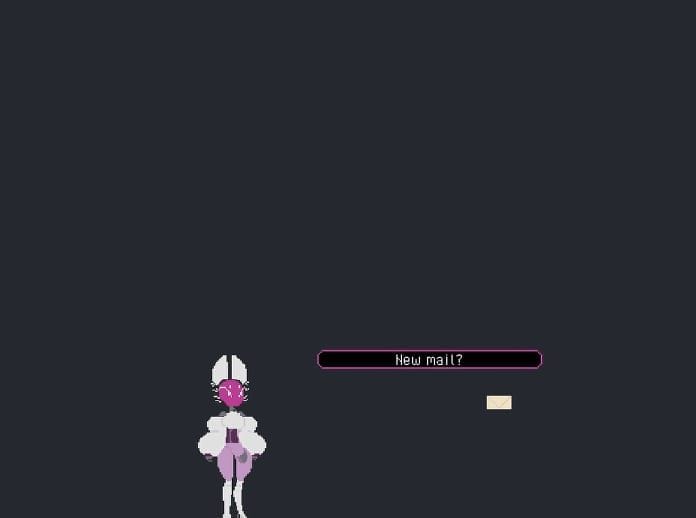
How do I avoid getting malware from in-game mail?

Click on the pop-ups from the mail to get malware.

Where is the Pet Scale setting located?

In the Settings Menu within the Pause Menu there is a Pet Scale setting!

Will there be a note about controls in the next release?

Yes, already planned for 0.3.0 Release to have a Note on controls.

Does Cindesh use items and combine them when in passive mode?

In passive mode, she can interact with items including combining them, but this requires her being in passive mode as active mode has basic AI that does not include item combination. There is also a set list of items she doesn't use without being in passive mode.

How do I disable Passive Mode?

Press Escape to go to the menu and disable passive play. The program needs to be closed for editing the config file.

Byte - Desktop Pet Walkthrough

Unlocking Special Content

  • To unlock Antivirus_0 in your item ID list, ensure you have a cooked build and click on Byte at least twice. Hover over Antivirus_0 while pressing the ` key to open the terminal.
  • In the terminal, type 'Help' to get instructions, then enable Cindesh mode to access restricted content.

Item Combination Tips

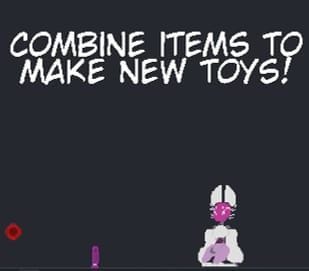
  • When holding an item with right click, items that can be combined with it are highlighted with a purple outline.
  • To create the red collar, combine a dildo with red essence (malware) to make a big red dildo. Then combine this with a floppy disk to get the red collar.
  • For the green collar, after making the big red dildo, combine it with green essence (fen virus) to make a big green dildo. Combine that one with a floppy disk to create the green collar.

Gameplay Enhancements

  • Consider having a key/shortcut for hiding companions in panic mode, as an alt tab might not be sufficient.
  • Programmed functionality allows clicking on items in any /ls list to spawn the given item, actor, or popup. Future updates will include more brain dances and art.

Security and Troubleshooting

  • If you encounter issues with your program after downloading it, run a deep scan using MalwareBytes as there might be an injected Trojan.
  • Ensure that the terminal settings persist between opening and closing sessions. If not, consider enforcing safety measures to ensure proper variable storage.

Feature Requests

  • A guide for the terminal section would be helpful as there is a lot of fun content to explore.
  • Consider adding persistent settings for terminal variables and ensuring they are saved correctly between sessions.

Byte - Desktop Pet Known Bugs

  • The config command sends players to a non-existent folder (...Roaming\Godot\app_userdata\DesktopPets\save). The correct file should be save_Byte.cfg.

  • Card does not work with substar War

  • No picture and no sound are displayed

  • Actors experience teleportation and scaling issues when moving between 2k and 1080p monitors

  • Game runs extremely slow with many popups or malware

  • Config command sends players to a non-existent folder (...Roaming\Godot\app_userdata\DesktopPets\save). The correct file should be save_Byte.cfg.

Byte - Desktop Pet Cheats

Cheats and codes for this game are available to signed-in members.