Where are the cards located in the game?
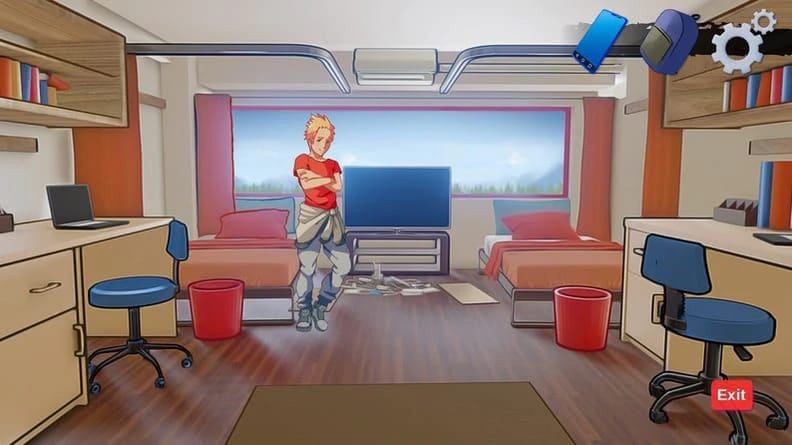
The card locations are: on the fountain, in the first corridor of the classroom by the windows, in the second corridor on the door, inside the classroom on a chair, in the study room, in the library when you are in the alley with the girl (on the left on the floor), under your room's chair, and outside of the school.
What are the cheat codes for version 0.2.4.1?
The cheat code passcode is 'jtb4m3' and the passgallery code is '12vac8'.
How can I enable the console in the game to modify variables?
Edit the file \renpy\common\00console.rpy using an editor like NotePad++, find the line 'config.console = False', change it to 'True' (case sensitive), and save. Open the game, press Shift+O, and type 'config.rollback_enabled=True' in the console.
How do I activate topless mode in the game?
To activate topless mode, follow these steps:
1. Go to 'game/renpy/common/00console.rpy'.
2. Search for 'config.console = False' and change it to 'True', then save.
3. In-game, load a save file and press Shift+O.
4. Enter the command: toplessactive = "t34zs7".
How do I use cheats with topless mode?
To use cheats while in topless mode:
1. Activate topless mode as described previously.
2. Open the console by pressing Shift+O.
3. Enter: cheatactive = True.
How do I unlock galleries with topless mode?
To unlock character galleries while in topless mode:
1. Activate topless mode as described previously.
2. Open the console by pressing Shift+O.
3. Enter: persistent.gallery_unlocked_[girl name] = True, for example: 'persistent.gallery_unlocked_luna = True'.
4. Repeat with _1, _2, etc., to unlock all galleries.
How do I use the easy method cheat codes?
To use the easy method cheat codes:
1. Rename 'gamedir/game/cheatcodes.rpy_bak' to 'cheatcodes.rpy'.
2. In-game, use 'lq8z1b' for cheats and 'tq4x87' for galleries (does not include Dinna and Sol).
How do I download the .rpy file?
To download the .rpy file: Right-click on it and select 'Save as', then save it in the 'Heroes-University-H-0.1.3-pc/game' folder.