LELALOL
Search
RandomThePornDude
Search
RandomThePornDude

© 2026 LELALOL. Adult games free download.

AboutContactTerms and RulesPrivacy and Cookie PolicyBest Porn Sites
  1. Home
  2. /
  3. Games
  4. /
  5. SlaveMaker: Prompts and Passions
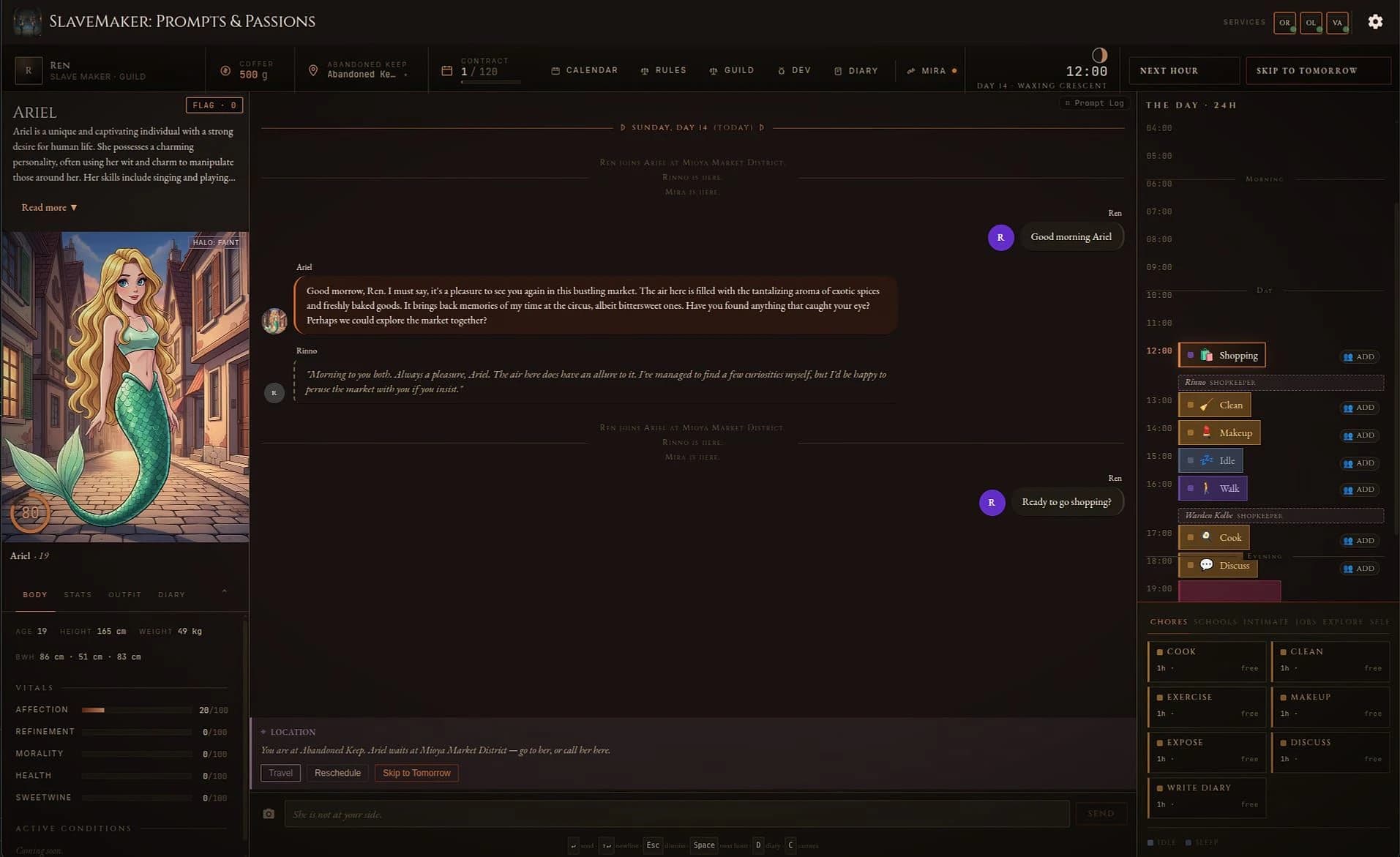
SlaveMaker: Prompts and Passions screenshot 1
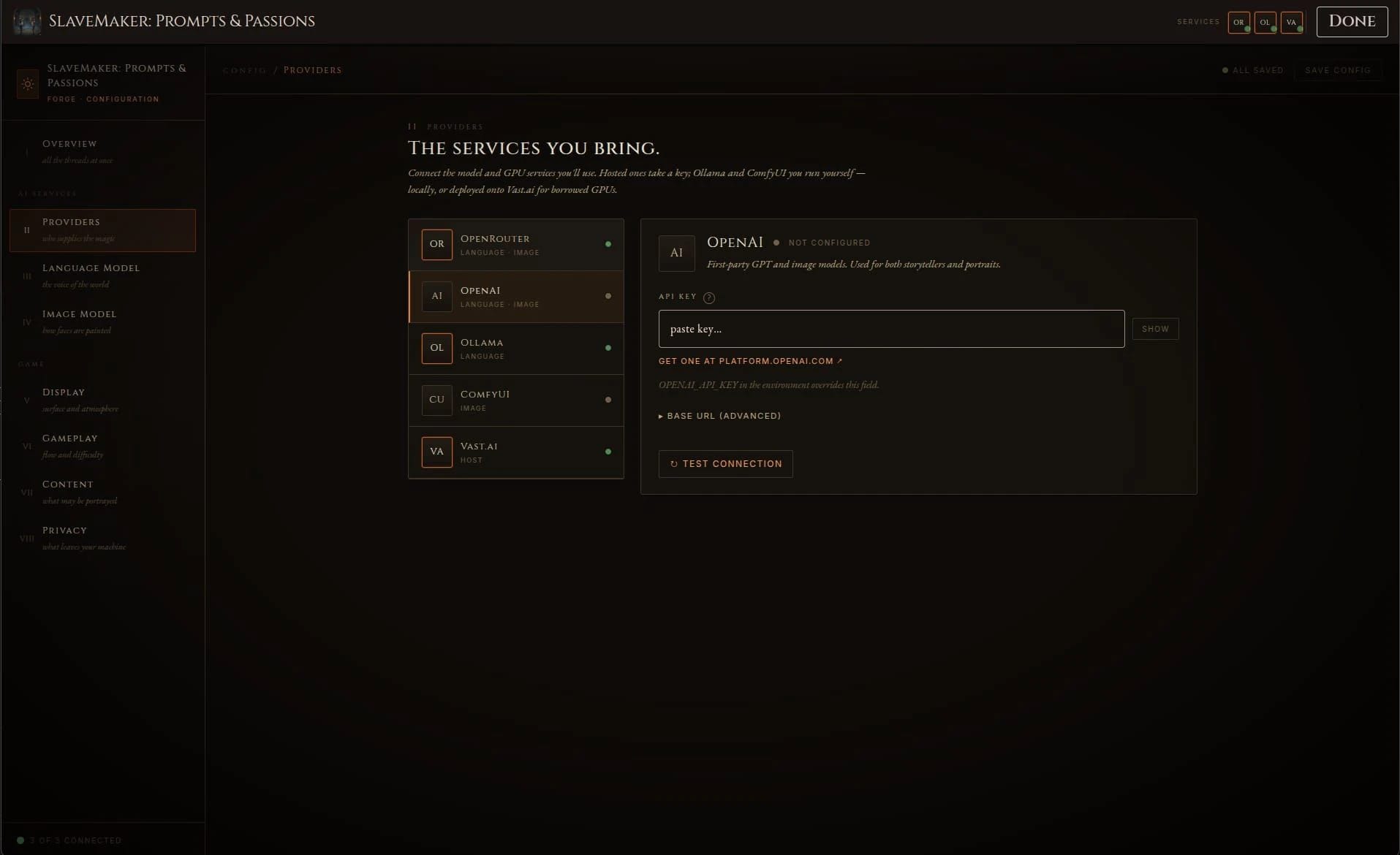
SlaveMaker: Prompts and Passions screenshot 2

SlaveMaker: Prompts and Passions

In 0 playlists0 videos0 commentsUpdated Oct 12, 2026
kozosmdevOthersManagement Sim
—
No votes yet

How to Download SlaveMaker: Prompts and Passions

This Management Sim · Others game is available for free on LELALOL. No payment required — sign in to unlock direct download links for Windows, Mac, Linux, Android, and iOS when available.

  1. Create a free account or sign in
  2. Return to this page — download links appear below the game info
  3. Pick your platform and download the latest release

Last updated on LELALOL: Oct 12, 2026

Create free accountSign in

SlaveMaker: Prompts and Passions FAQ

What new features are coming in the next release (0.11.0)?

The upcoming release includes: * Gender system overhaul * Gay/lesbian training * Cumslut training * Courtesan training * Fertility/pregnancy system * Drug/aphrodisiac system * Succubus training/transform * Masochist training * Sissy training * Faerie transformation path * Cowgirl / lactation / milk-slave path * Tentacle and demonic events and transformations

Are mods like milking and masochist training being included in the upcoming release?

Yes, those are among the planned features for the 0.11 release.

Can character portrait generation be set up similar to FreeCities?

Image generation is available as long as it is configured properly. There is a camera icon next to chat entries that will generate contextually appropriate images.

How do I configure NovelAI's API with OpenAI compatibility?

You can configure the OpenAI provider with the NovelAI endpoint URL. The same applies for NanoGPT.

What are the steps to set up Ollama on Windows?

Download and install ollama.exe, search for 'ollama goekdenizguelmez/JOSIE:4b' in Google, run it via command prompt. If you encounter an EOF error, try running the command again.

How can I disable AI integration in the game?

Go to settings and select 'Disabled' for both Language Model and Image Model tabs. The game will function similarly to SM3 without AI features.

What are my options for running the game locally and free of charge?

1. Run without LLM or Image Generation (disable them in settings). 2. Use a local LLM with Ollama. 3. Use both a local LLM and an image generator like ComfyUI.

How do I configure the ComfyUI provider?

Download and install ComfyUI, then download an image model and load it into Comfy. In the configuration, test the connection on the ComfyUI provider tab and select the workflow for your model family.

What is a safe tensor in the context of this game?

Safe tensors are checkpoints that go in the model folder.

Why does portrait regeneration sometimes fail or get stuck?

Portrait regeneration issues may be due to bugs. Try generating an image from the chat interface and see if it works, indicating a potential bug with the portrait feature.

How do I export my workflow in ComfyUI for API use?

From the top left menu in ComfyUI, select File -> Export (API) to export your workflow.

Do text and image generation require separate models?

Yes, text and image generation require separate models. Setting up the language model is highly recommended, while setting up the image generation model is optional as it is still immature with limited non-generated images available.

How do I set up Stable Diffusion (Automatic1111) for this game?

To use Automatic1111 on Windows, edit your webui-user.bat file in the Documents\GitHub\stable-diffusion-webui folder. Add '--api' to the end of the line that says 'set COMMANDLINE_ARGS='. Run SD (webui-user.bat), copy your SD URL from the browser, and paste it into the game's Endpoint on the SM: P&P main menu [IV - Image Model]. Hit TEST to confirm the setup.
SlaveMaker: Prompts and Passions Walkthrough

Setting Up Local AI Models

  • To set up ComfyUI for Slavemaker, ensure it's configured correctly with Ollama as the provider in the game settings.
  • For a local LLM setup, download and install Ollama. Choose a model that fits within your GPU’s VRAM capacity.
  • In the Language Model tab of the game settings, select 'Ollama' as the provider after testing the connection successfully.
  • To set up ComfyUI for image generation, download an appropriate image model and load it into ComfyUI. Select ComfyUI in the Image Model tab.

Troubleshooting AI Connections

  • If your trainee does not respond or their text disappears quickly, ensure that Ollama and ComfyUI are correctly set up and reachable.
  • When setting up Ollama and ComfyUI, initial tests may show connectivity but subsequent tests might fail. Ensure configurations are correct for sustained use.
  • For models like Gemma, download the model using Ollama's terminal commands and ensure it is properly installed before testing in-game.

Generating Images

  • To avoid manga-style images, set negative prompts with terms like 'anime', 'illustration' and positive prompts for styles you prefer such as 'photorealistic'. However, these settings may be ignored initially.
  • Ensure that the correct image generation model is selected in-game to see pictures generated during gameplay. Check if the initial base image influences subsequent generations.

SlaveMaker: Prompts and Passions Known Bugs

  • Cannot select local LLMs configured in the app; restarting and reconfiguring does not resolve.

    Workaround: Go to the Providers tab, type the endpoint explicitly (even if it's the default), test connection, and save config. The provider will then appear on Language and Image screens.

  • Local 'olamana' and Comfy are unreachable out of the box in Windows 11; initial connection tests show as reachable but later become unreachable.

  • Portrait regeneration bug causes the game to display the second image generated instead of updating correctly.

SlaveMaker: Prompts and Passions Cheats

Cheats and codes for this game are available to signed-in members.